Plan around vacation
Free
Vacation makes a bar longer, not the work: ten working days stay ten working days.
Get started
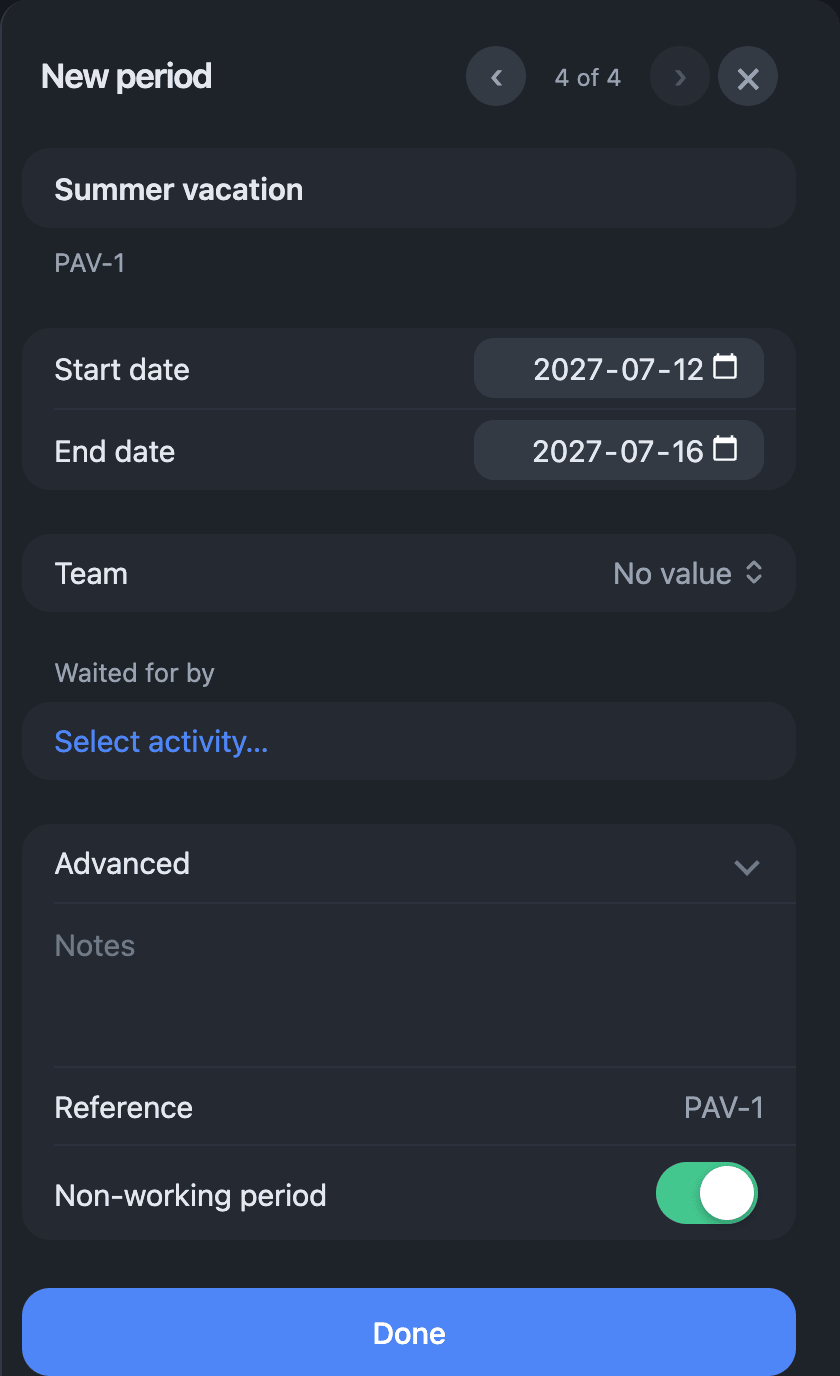
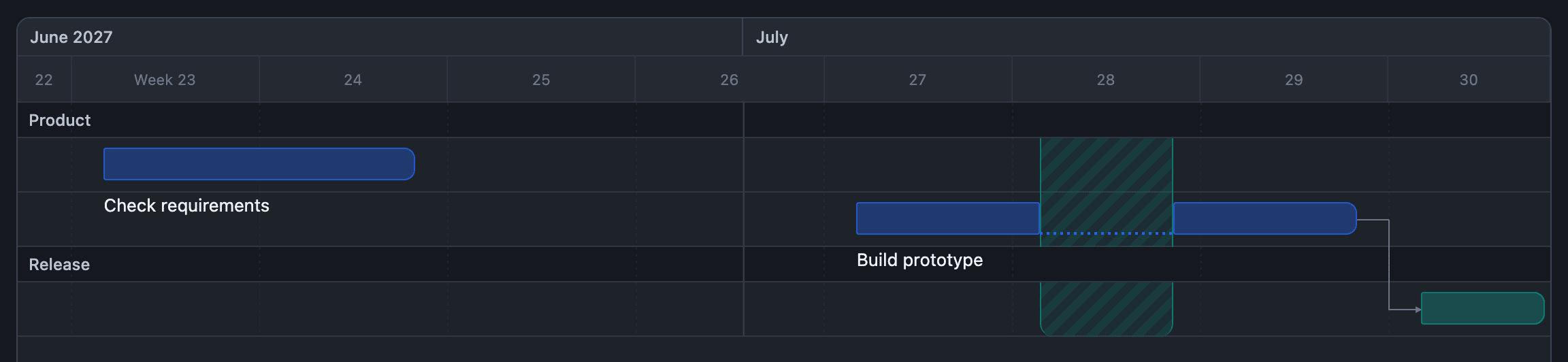
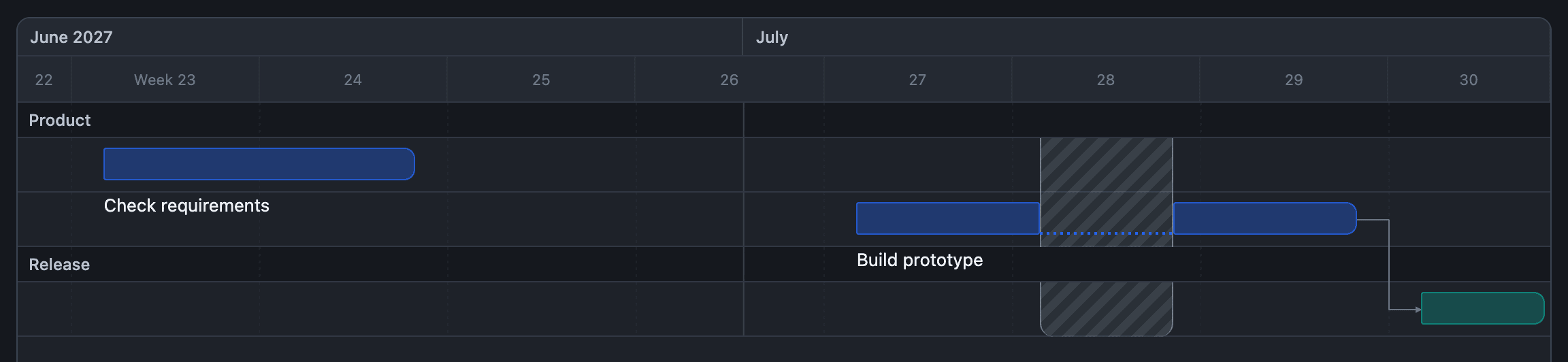
Check requirements and Build prototype above each have ten working days. The animation adds Summer vacation from 12 to 16 July: the prototype crosses it, so its end moves from 16 to 23 July, and Prepare demo follows. Touch the roadmap to stop the animation and try moving a bar yourself.
To do the same in your own roadmap:
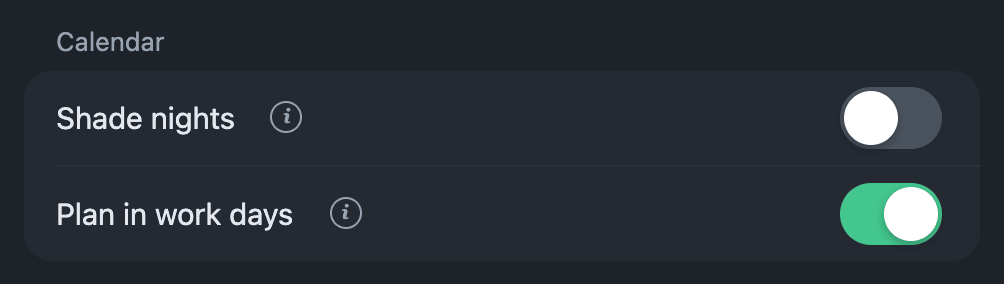
- Open the roadmap’s Properties and turn on Plan in work days under Calendar.
- Choose New activity, enter the vacation’s name and dates, and turn on Non-working period under Advanced. The card becomes New period.
- In your timeline view, show period names so the shaded interval has a label.
- Check activities that overlap the period and anything that waits for them.
More things to do
Color a vacation
Give the period a value in the color dimension, here Team, to color its band.
Turn an existing record into time off
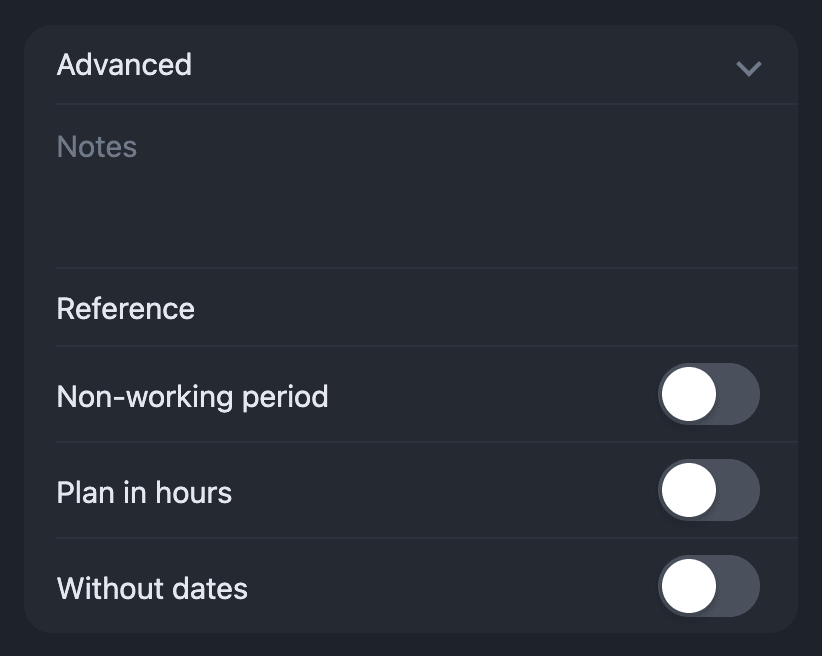
Non-working period also works on a saved card. An activity becomes time off on its dates; a milestone becomes one day of time off on its date. Turning it off again in a period’s card makes it an activity on the same dates.
How it works
One calendar applies to the whole plan
Plan in work days excludes Saturday, Sunday and every date inside a period, including its start and end. Overlapping periods do not subtract the same day twice. The first weekday shown in the timeline changes its presentation, not which days are weekends. Tidigar does not infer public holidays from your country; add the relevant dates as periods.
Vacation is shared availability for this roadmap. A period cannot give one team a different working week or reserve a person's capacity. In calendar-day planning a period only annotates the timeline. To use a central plan's company holidays or change freeze, take the period in from that plan; its dates then change only when you choose Take in, as described in Follow a date from another plan.
Changing vacation preserves the amount of work
Adding, extending, shortening or deleting a vacation recalculates activities using the amount of work they had under the previous calendar. A ten-work-day activity remains ten work days; its calendar span may grow or shrink. Starts move to allowed work days, dependent activities follow, and milestones that follow those activities may move. Check the whole chain, including activities outside the visible filter.
Turning on work-day planning counts the weekdays in the existing activity dates before applying the plan's vacations. Turning it off keeps the current dates and uses calendar days for later scheduling. It does not restore an earlier calendar-day layout. Review durations after changing this roadmap property.
Duration and appearance answer different questions
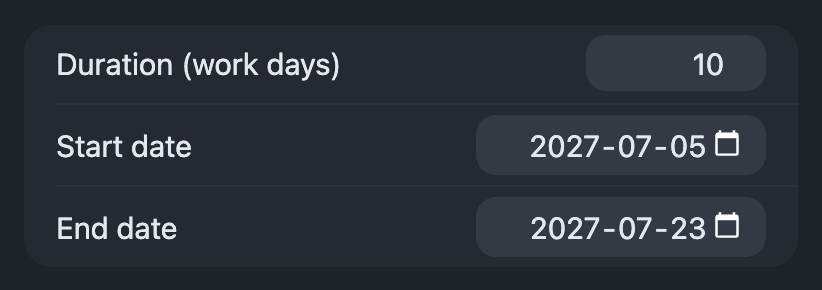
In work-day planning, the activity's Duration (work days) counts scheduled work. Moving the whole activity preserves that count, even across a vacation. Editing its duration or resizing one end changes the work being scheduled. The start must be a work day; the end is the last work day needed for its duration.
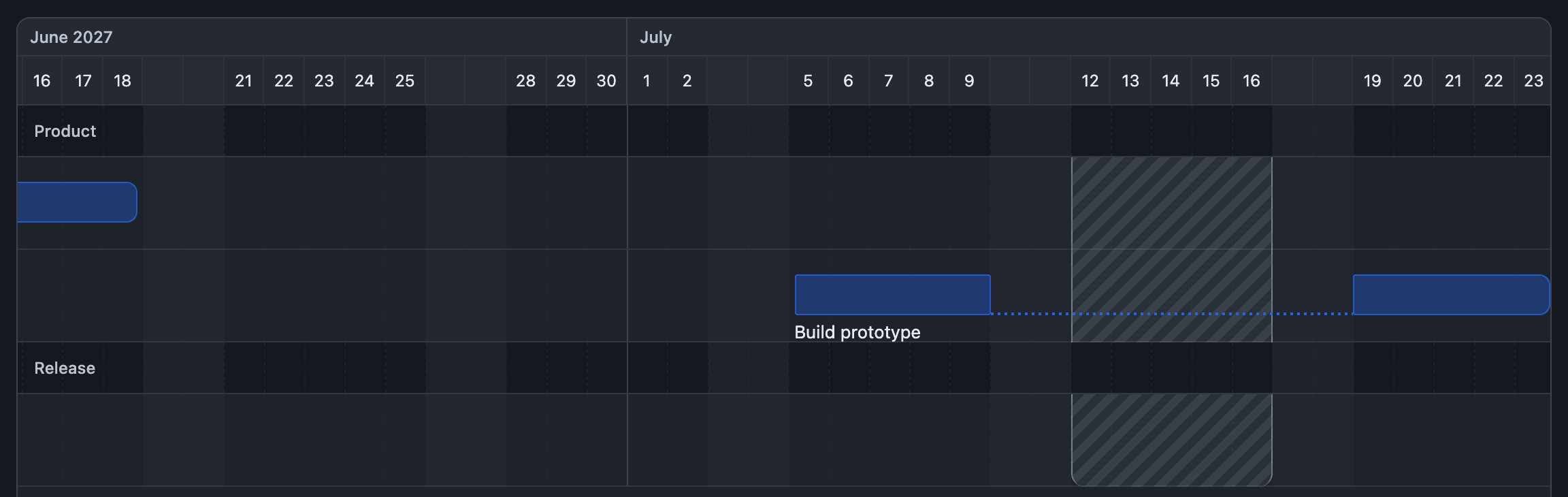
A bar's total span still runs across calendar dates. At a detailed timeline scale, non-working gaps can appear as connectors between work segments; a coarser scale can suppress weekend gaps. Hiding period names or changing a view's scale does not make those dates available for work. These are view settings; the work calendar and period dates belong to the plan.
A period carries no work of its own

When an activity or milestone becomes a period, its progress, assignee and predecessors are dropped, because time off has none. Anything that waited for the record still waits for the period.
Milestones are points, not work durations
A fixed milestone can stay on a weekend or vacation date. An activity waiting for it starts on that date at the earliest, or the next work day if the date is unavailable. A milestone following activities must be after their latest end, but an ordinary date edit can leave it on a non-working day. Compact the plan explicitly places following milestones on the next work day. See Two kinds of milestone and dependency scheduling before compacting away intentional gaps.
Limits and access
- Free, in the browser and in every Tidigar app.
- In calendar-day planning a period only annotates the timeline; it removes no working time.
- One work calendar per roadmap: no per-team or per-person availability, and no automatic public holidays.
- A record without dates, or one taken in from another plan, cannot become a period or stop being one.
Related
- Moving activities and dependencies: why Prepare demo follows the prototype.
- Follow a date from another plan: take in company holidays from a central plan.
- Product launch example: the larger planning context.