Follow the critical line
Free
A release has parallel branches, and the one that finishes last sets the pace. Select an activity to see its chain in the timeline and in Flow.
Get started
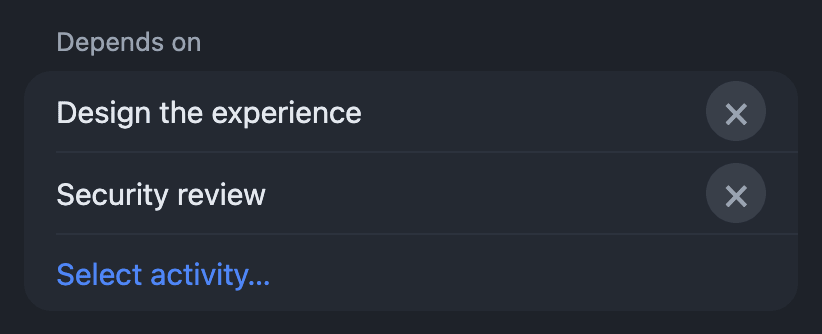
Design the experience finishes on 18 June and Security review on 16 June, so design lies on the way into Build the release. Roll out waits for Test the release and Write help articles; testing finishes later. The animation focuses build, security and help articles in turn, and the capsules spring into new places. Touch either view to stop it, select Security review and compare: security belongs to the build's chain even though design finishes later, and its dates do not move.
To follow the chain in your own plan:
- Open an activity and use Depends on to add the work it really waits for. Sharing a team or phase creates no dependency.
- In Timeline, open Customize view, show dependency arrows and save the view.
- Switch to Flow and save a second view of the same plan.
- Tap an activity once to focus its chain. In Flow, tap the focused capsule again to open it; tap empty space to clear focus.
- At each join, compare the predecessors' end dates in the timeline.
How it works
The default backbone follows the current end dates
Flow arranges visible work by dependency steps. A later column means more dependency steps before an activity; its horizontal position is not a date scale. Use the timeline to judge duration and waiting time. Changing Flow's direction changes the reading direction, not the relationships.
For each separate connected chain, Flow starts at the record that finishes latest and traces backwards through the predecessor that finishes latest at each join. In this example, it starts at Roll out, follows Test the release rather than Write help articles, then follows build, design and the brief. Separate chains each have their own backbone; they do not compete for one project-wide line.
If predecessors tie for the latest finish, they all belong to the line. If several records tie for the chain's latest finish, each is traced backwards. The backbone can therefore branch. Activities without visible connections sit in the unconnected activities area rather than forming a dependency backbone. Hiding that area can leave an empty Flow when there is no connected work to show.
Focus highlights more than the backbone
The two embeds on this page share one selection. Touch either to stop the story, select another activity and watch both views respond; use the play button to replay it. With reduced motion the play button starts it and the layout changes without springs.
Selecting an activity highlights all of its visible predecessors and successors, including indirect ones. This highlighted chain can contain several branches. A sibling branch is not automatically highlighted merely because it shares a predecessor or successor with the selected activity.
Within the selected activity's connected chain, the Flow backbone runs backwards from that activity through the latest-finishing predecessors. It also looks ahead to the latest-finishing reachable successor and traces back through the selected branch. Other connected chains retain their default backbones. Clearing focus returns the selected chain to its default layout.
For Security review, this lets you inspect security, the brief, build, test and roll out. It does not turn security into the latest-finishing input to build, or add design as a predecessor of security. Focus is a personal selection, not a date, a relationship or a saved-view filter. The shared focus between this page's embeds lets you compare two representations of the same selection.
The line is a reading aid for the schedule
The backbone compares scheduled end dates. It does not calculate how much an activity can slip, level a team's workload or reserve people. A completed activity can still lie on the line: progress does not remove its dates or dependencies. A deliberate gap before a successor also remains in the schedule.
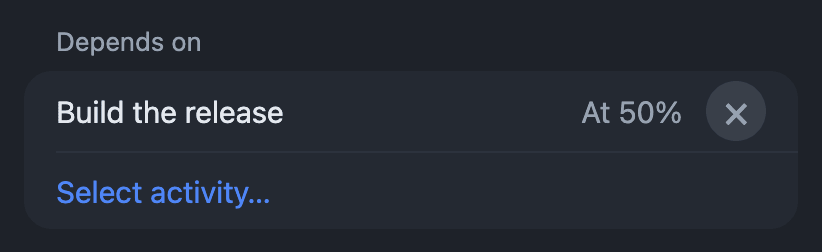
Overlap choices such as At 50% affect when a successor may start, but the Flow backbone still chooses activity predecessors by their end dates. With overlapping relationships, the latest-finishing predecessor need not be the relationship that sets the latest allowed start. Use the timeline and the activity's Depends on settings to check that constraint; do not treat the backbone alone as a promise about the release date.
Selecting a capsule, changing Flow direction or letting the capsules spring into place does not reschedule work. Editing dates or dependencies can change both the schedule and the resulting backbone. Dependency scheduling explains those changes, including work-day planning and deliberate compaction.
Milestones can sit before or after work
A milestone can be a prerequisite for an activity. When comparing it with activity predecessors, the backbone treats its release as the day before the milestone's date, because the activity may start on the milestone date. Activity predecessors release their successor after their end date. A milestone on Monday and an activity ending Sunday can therefore tie in this comparison.
A following milestone appears after the activities it waits for and can be the latest-finishing record that starts a backward trace. Flow includes milestones connected to the visible activities; it is not a complete calendar of every standalone milestone. See Two kinds of milestone for their scheduling rules.
Filters change the visible graph
Flow constructs its backbone from the records and connections visible in that view. Filtering out a predecessor can therefore change the apparent backbone or separate a visible activity from its chain. Faded connection hints indicate relationships to activities outside the view. Clear the filter or open a broader saved view when you need to explain the whole chain.
The underlying dependency still applies to scheduling even when its predecessor is hidden. A view filter does not remove work from the plan or from a shared copy. Save filters, direction and appearance with the view; dates and dependencies belong to the plan itself. See Timeline views for saved-view settings and Flowchart symbols for another way to draw the same relationships.
Limits and access
- Free, in the browser and in every Tidigar app.
- The backbone compares scheduled end dates; it does not calculate slack, level workloads or reserve people.
- Flow shows milestones connected to visible activities, not every standalone milestone.
- Filters change the visible graph, not the plan's dependencies or a shared copy.
Related
- Moving activities and dependencies: a demonstration that actually changes the schedule, including work-day planning and compaction.
- Two kinds of milestone: their scheduling rules.
- Timeline views: saved-view settings.
- Flowchart symbols: another way to draw the same relationships.