Two kinds of milestone
Free
A milestone is a point in time that either follows the work before it or holds a date that work waits for.
Get started
Prototype ready waits for Build prototype: when the build finishes a week later, the milestone moves with it. Conference opens has a fixed date and does not follow the build; Prepare conference demo cannot start before it. The animation then moves the conference date and the demo follows. Touch the roadmap to stop the animation and try moving Build prototype yourself.
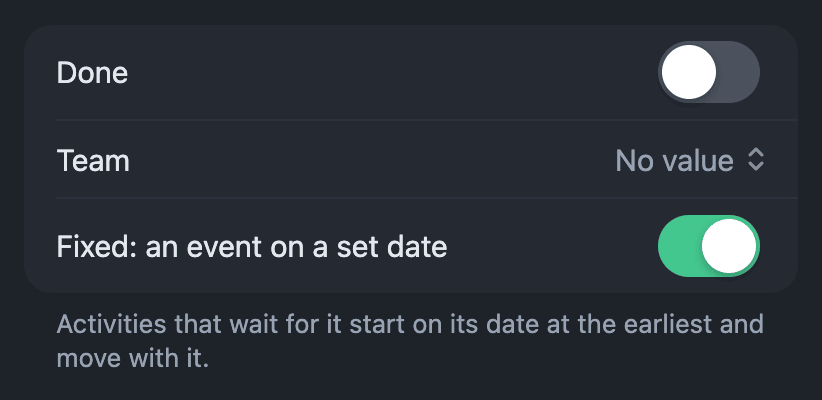
To make one of each kind:
- Choose New activity, give it a name and date, and set its length to 0. It becomes a milestone.
- For a following milestone, leave Fixed: an event on a set date off and choose what it waits for under Depends on.
- For an anchor, turn Fixed: an event on a set date on and choose what waits for it under Waited for by.
- Check Done when its result is reached.
More things to do
Turn an existing activity into a milestone
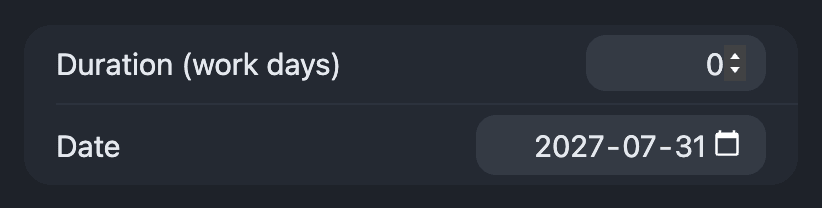
Set an existing activity's length to 0, on its card or in List: it becomes a milestone at its end. A milestone given a length above 0 becomes an activity again, ending at the milestone's date.
Show milestone labels in your view

Show milestone labels in your custom timeline view so readers can tell the named points apart.
See what a milestone waits for
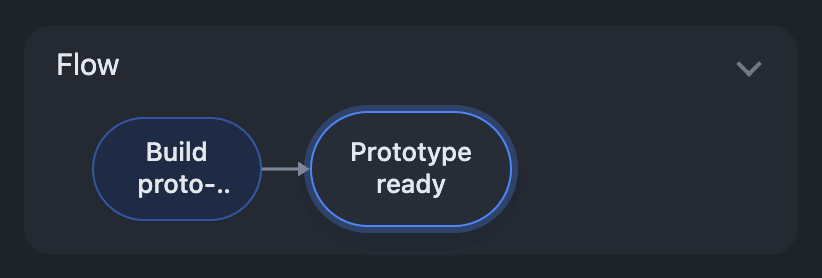
The card's flow shows what the milestone waits for and what waits for it.
How it works
A following milestone leaves room for a handover
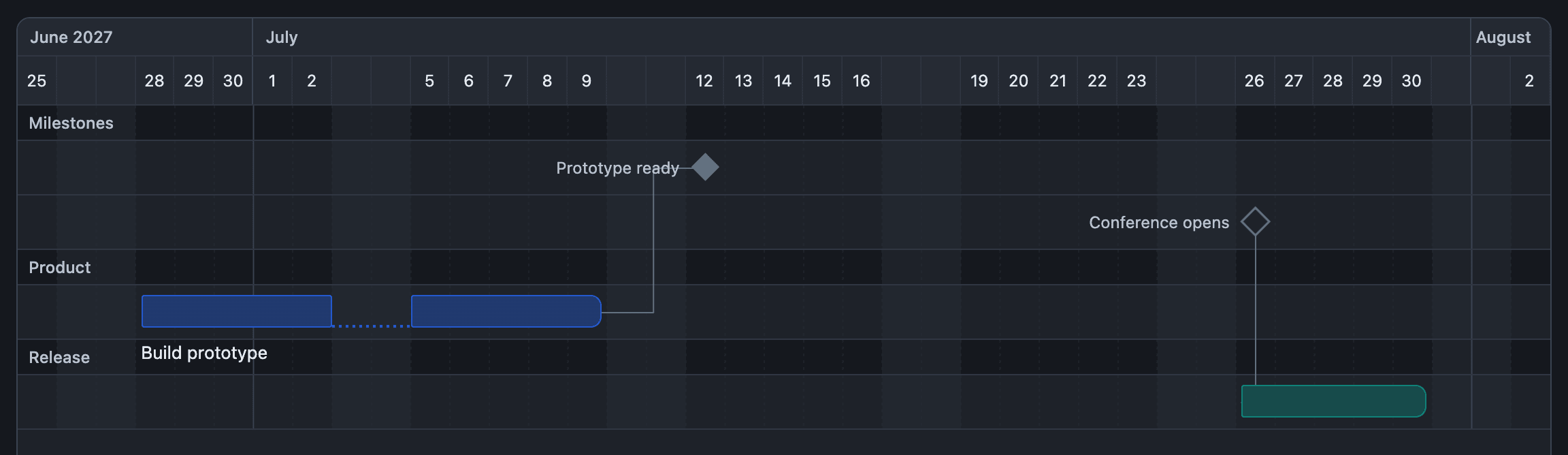
A following milestone must be at least the day after the latest end among the activities and periods it waits for, and on or after any milestone it waits for. Choosing a date before that limit moves it back to the allowed bound. Choosing a later date keeps room for a review or handover. With no predecessors, it has no lower bound and keeps the date you choose.
When a predecessor's end moves, a following milestone moves along with it while retaining its gap, unless you explicitly change the milestone date in the same edit. With several moved predecessors, the furthest resulting date is used and the latest predecessor still sets the earliest allowed date. This does not change the activities themselves. A following milestone may retain a gap after its predecessors; it is not necessarily forced onto the very next day.
The ordinary lower bound is the next calendar day, including a weekend or vacation. In work-day planning, propagation counts work days, but a milestone is still a dated point rather than a duration. Compact the plan in roadmap Properties removes gaps after predecessors and places following milestones on the next work day. In calendar-day planning it uses the next calendar day.
A fixed date is an anchor, not a deadline
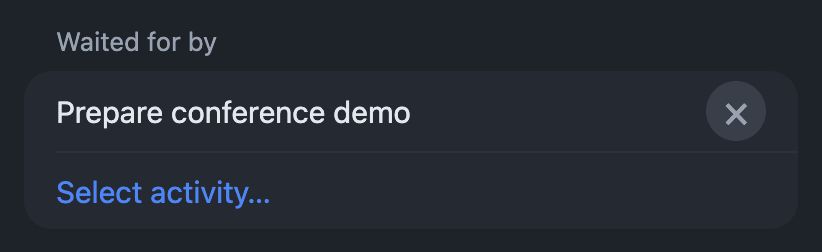
Both kinds can wait for activities, other milestones or periods, and anything but a period can wait for either kind. The difference is what moves: a following milestone moves after what it waits for, while a fixed milestone keeps its date. It is not a deadline constraint that automatically schedules other activities backwards to finish before it.
A fixed milestone may have records waiting for it and may itself wait for others. When one of them ends after the fixed date, the date stays: Timeline marks the milestone with a red dot, and its card names what ends later, until you move one of them. A waiting activity may start on the milestone's date, rather than the day after. In work-day planning, it moves to the next work day if that date is a weekend or vacation. Editing the fixed date carries the waiting chain with it, subject to any other dependencies.
“Fixed” does not lock the record against editing. It holds the date against changes in other activities; you can still edit the milestone itself. It can represent a conference opening or an externally agreed start. It does not require other work to finish before it, schedule backwards, or move automatically when the project runs late. Check a deadline against the actual finish dates yourself.
The fixed milestone holds its date until you edit it yourself. Only a dated milestone can be fixed, so removing its date makes it a following milestone.
A milestone is an item of the plan

A milestone opens in the same card as an activity, which shows only a milestone's fields. Board shows it as a card, List as a row and Flow as a capsule, each in its value's color, as for an activity. It is done or not, never partly done: on a Board grouped by completion it lands in Planned or Done only. A milestone may have no date yet; it then appears in List, Board and Flow, as an undated activity does, and not on the timeline.
A length of 0 in the card turns an activity into a milestone at its end, keeping its name, description, reference key, values and predecessors. A longer length turns the milestone back into an activity of that length that ends at its moment. Without dates, under Advanced at the bottom of the card, leaves a milestone undated; turning it off again brings its date back. Only a finished activity becomes a finished milestone, and a fixed milestone stops being fixed. Dates may then move as the plan's dependencies require.
Changing kind keeps the relationships, not the position
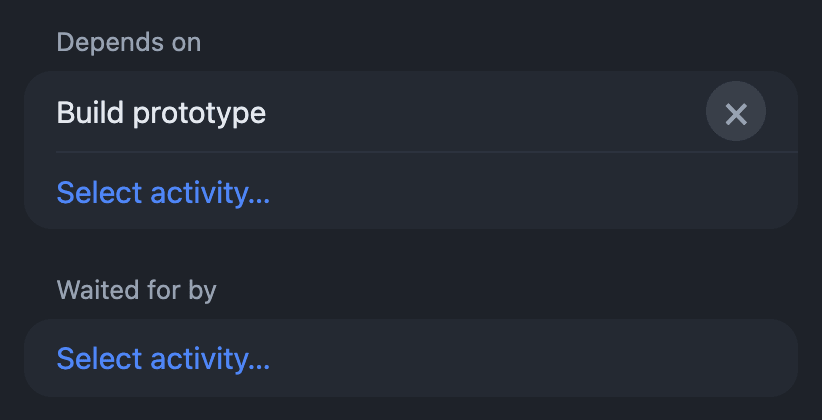
In the milestone's card, Depends on selects what the milestone waits for, and Waited for by what waits for it. Every card has both, so a dependency can be added from either end. Changing kind keeps the relationships, but a milestone that stops being fixed moves after what it waits for. Do not change kind merely to alter the symbol on the timeline.
The milestone's date, kind and relationships belong to the plan. Labels and visibility belong to the view. Hiding a milestone or filtering out work does not release its dependencies. For activities that start partway through other work, use an activity overlap relationship as described in Moving dependency chains.
Limits and access
- Free, in the browser and in every Tidigar app.
- A fixed milestone never schedules other work backwards; check deadlines against actual finish dates.
- Only a dated milestone can be fixed.
- A milestone is done or not; it has no partial progress.
- A date owned by another team needs an incoming milestone.
Related
- Moving dependency chains: how waiting activities follow.
- Follow a date from another plan: a date another team owns, taken in only when you choose.
- Plan around vacation: how milestones sit on non-working days.